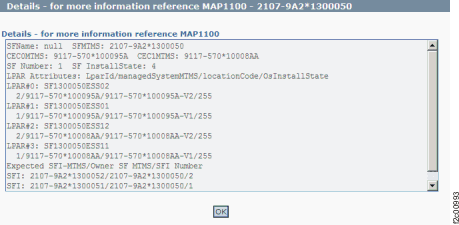
Figure 1 is
an example of the detail window for the System/partition object (in
this example, an error condition is not shown).
Figure 1. Window: System/partition
object details
Description: The storage facility install
state status is not showing as installed.
Action: Contact your next level of support. The
next level of support must remotely connect to
repair this condition.
Next level of support only:
Check the IBM.EssStorageFacilitySystem objects on HMC.
This verifies the number of CECs and checks for consistency of CEC
MTMS between IBM.EssStorageFacility and IBM.EssStorageFacility System.
Check IBM.EssStorageFacilityPartition objects on HMC
to validate number of partitions.