Note: If
the Large File Transfer (the 10th System Check Type status from the top) is FAILED, this
System Check Type cannot be displayed.
Procedure
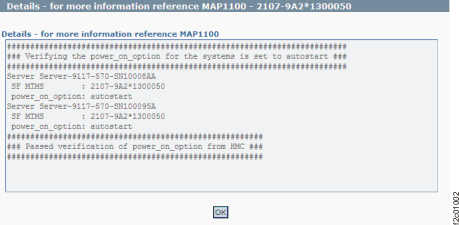
Figure 1 is
an example of the detail window for the systems power on option (in
this example, an error condition is not shown).
Figure 1. Window: Systems
power on options details
Description: A managed system power on option is
not set to auto start.
Action: Contact your next level of support. The
next level of support must remotely connect to
repair this condition.
Next level of support only:
/opt/hsc/bin/lssyscfg -r sys -F mm_type_model,mm_serial_num,name,
power_on_option,serial_num,pend_power_on_option
2107-922,1300150,Server-9117-MMA-SN13AABF0,autostart,13AABF0,autostart
2107-922,1300150,Server-9117-MMA-SN100096A,autostart,100096A,autostart

ERROR EVALUATION:
This check verifies that the power on option for all managed systems
in selected SF managed by this HMC are set to autostart.
Power on option set to autostart causes the LPARs to automatically
boot when PHYP is brought up.
- If power_on_option is set to auto start - check passes.
- If power on option is not set to autostart...check pend_power_on_option.
- If pend_power_on_option is set to auto start- check passes.
- If pend_power_on_option is not set to auto start , code tries to change the
power_on_option to autostart. If its successful then check passes...otherwise
error.