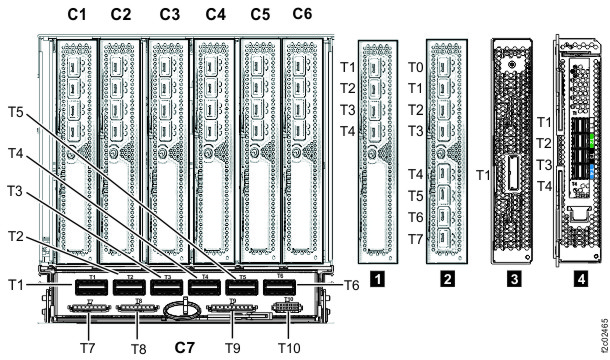
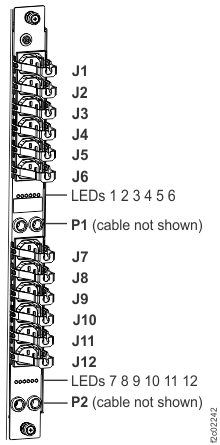
Checking cables Procedure If you are installing Rack-2, at the rear of each I/O enclosure gently push on each PCIe cable (P1-C7-T1 and P1-C7-T2; also P1-C7-T5 or P1-C7-T6, if present) to ensure that it is fully seated and latched. See Figure 1. Figure 1. I/O enclosure locations (rear) (models 98x, 8xE) At the rear of the rack, ensure all power cables that are connected to each power distribution unit connector J1-J12 are fully seated. Figure 2. Figure 2. Locations for power distribution unit (PDU) connectors Are there more expansion racks to install on this storage facility? Yes, continue with Disconnecting the FC-AL cables in the rack being installed. No, go to the next section.