Checking cables
Procedure
-
If you are installing Rack-2, at the rear of each I/O enclosure gently push on each PCIe cable
(P1-C7-T1 and P1-C7-T2; also P1-C7-T5 or P1-C7-T6, if present) to ensure that it is fully seated and
latched. See Figure 1.
Figure 1. I/O enclosure locations (rear) (models 98x) 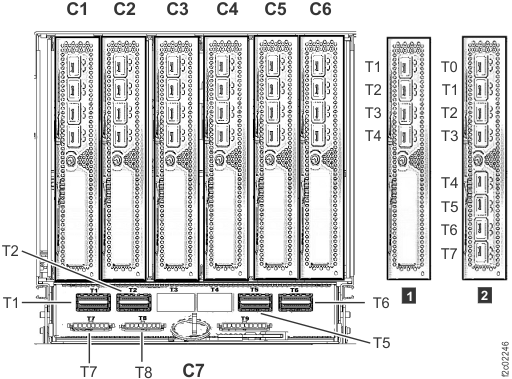 Note: I/O enclosure PCIe storage interface card (locations C3 and C6) not shown.Note: The older generation I/O enclosure PCIe and PCN card might not include T3, T4, and T10 ports.
 -
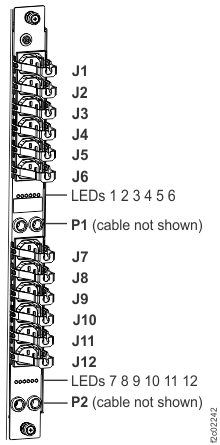
At the rear of the rack, ensure all power cables that are connected to each power distribution
unit connector J1-J12 are fully seated. Figure 2.
Figure 2. Locations for power distribution unit (PDU) connectors