Removing right side cover from Rack-1
Procedure
-
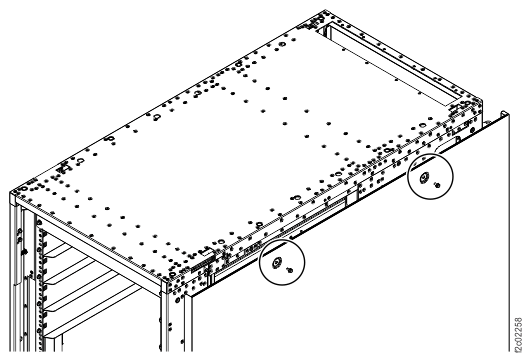
Remove the right side cover (viewed from the front) from Rack-1. See Figure 1.
-
Remove the two screws near the top of the cover.
Note: Retain the screws. They will be used to secure the cover to the last expansion rack.
-
Carefully lift the cover away from the rack and set aside.
Figure 1. Side cover screw locations, right side of rack 
-
Remove the two screws near the top of the cover.
-
Remove the six round dual-lock fasteners from the right side of the rack.
Note: The fasteners must be removed to correctly fasten the two racks together. Retain the dual-lock fasteners and screws for later use.
- Note the bracket that the right side cover was resting on. Remove the bracket from the right side of Rack-1. Retain the bracket and the three screws for use on the last expansion rack.
- Continue with the next section.