MAP1260 Displaying the storage facility image (SFI) state
Use this MAP to display the SFI state to ensure the LPARs are ready for customer use.
MAP1260 Section-1
Procedure
Display the partition activation state for each LPAR on a storage
facility image.
Note: States of the CEC enclosure partitions (LPARs).
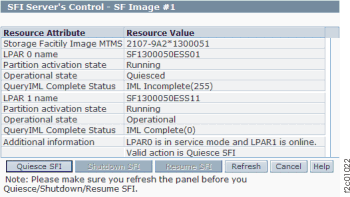
- From the bottom Task area, click .
Figure 1. Window: SFI Server's Control