Connecting the PPS 208V power cables
This topic describes how to connect the PPS 208V power cables.
About this task
Procedure
- At the rear of the PPS, connect the 208V cables to the
PPS 208V connectors shown in Figure 1.
Figure 1. PPS 208V DC cables 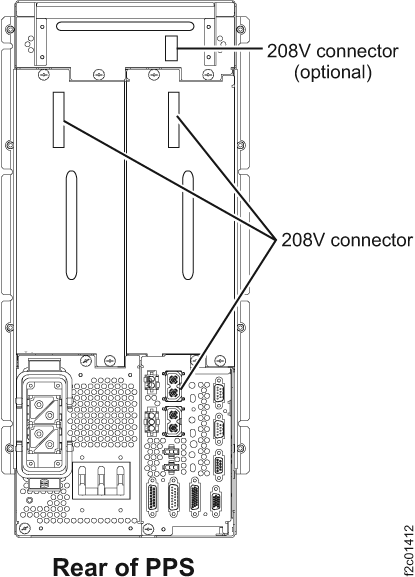 Note: The top horizontal PPS module is optional and only present if the rack has the specific feature installed.