FC-AL cables, copper, connecting after FCIC card replacement
This topic describes how to connect the FC-AL cables.
Before you begin
Procedure
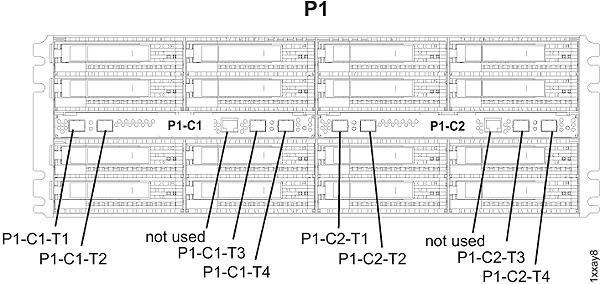
- Connect the FC-AL cables to the FCIC card as shown in the
following figure. Use the location code labels on each cable to ensure
it is properly connected.
Figure 1. FCIC card cables