Removing right side cover from the storage facility
Procedure
-
Remove the right side cover (viewed from the front) from the storage facility.
For example, if you are installing Rack-3, remove the right side cover from Rack-2. See Figure 1.
-
Carefully lift the cover away from the rack and set aside.
Figure 1. Side cover screw locations, right side of rack 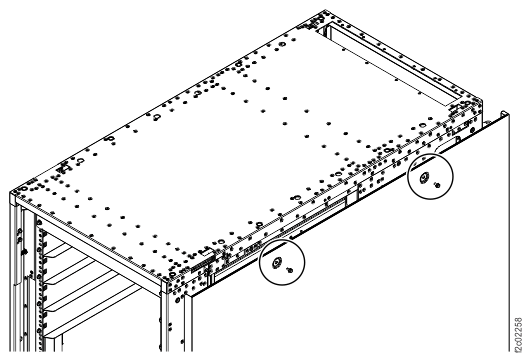
-
Carefully lift the cover away from the rack and set aside.
-
If you are installing an expansion rack with extension hardware, remove the
extension panel cover from the right side of the storage facility. See Figure 2.
Figure 2. Installing the extension panel cover 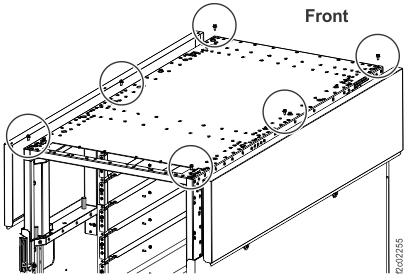 Note: Both extension panel covers are shown. Remove only the right side cover (viewed from the front).