MAP1100 Section-43 Power Fault Status
About this task
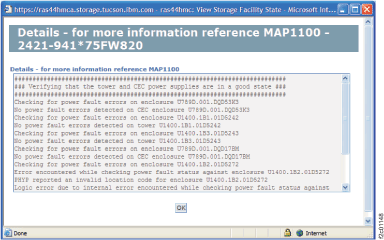
- Figure 1 is an example of the details window for the Power Fault Status check.
- Description: Verifies whether there are any power fault
in CEC and I/O enclosures:
- Details panel will indicate which CEC/tower components have power faults.
- When no faults are detected, the details panel will list each CEC/tower location code and indicate that no faults are found.
- Action: On a failed check, for better problem isolation, run the
cdaPreVerify utility. Refer to MAP1214 Run CdaPreVerify
The cdaPreVerify utility runs through a fault status check and generates the serviceable events with following the SRCs:
- SRC for failed power supply: BE9C1B5B
- SRC for logic error during power supply verification: BE9C1B5E
Figure 1. Window: Power fault status details