Section-30, Cable Bundle 1, Connecting to I/O enclosure (1G3/1G4)
Procedure
-
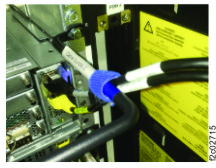
Route the two cables up the right sidewall of the rack and connect them to the I/O enclosure
PCN card. See Figure 1. Use
the blue cable tie to fasten them to the right side of the cable bundle 2 cable tie bar. See Figure 2.
Figure 1. Location codes, I/O enclosure (2U) adapter (PCN) 
Figure 2. PCN cables and fastened to cable tie bar