Section-39, Cable bundle 4, connecting to the I/O enclosure (I1-G3/G4) (optional
feature)
Procedure
For reference only.
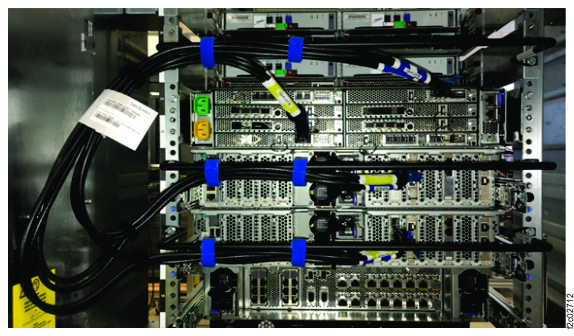
Figure 1 shows
only cable bundle 4 fully installed in the rack.
Section-47, Table 4
lists the cable groups and cable types.
Figure 1. UPS cable tie bars
Locate cable bundle 4 in Box 10 of 10.
Locate the cable group with bubble pack labeled I/O enclosure (I1-G3/G4). The cable has a
large white flag label that goes to the left. See Figure 1. Route it along the I/O
enclosure cable tie bar.
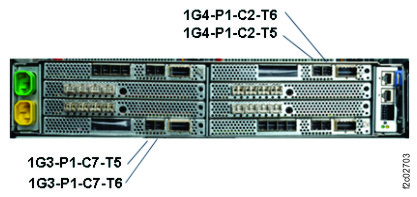
Connect the cables to the I/O enclosure. See Figure 2.
Figure 2. Cable bundle 4, SAS
Use the blue hook-and-loop fasteners to tie cable bundle 4 to the cable tie bar at the
two white bands on the bar. See Figure 1.