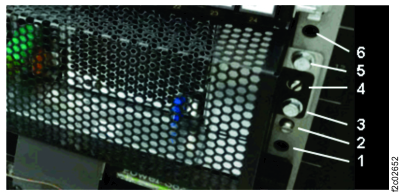
Section-24, Installing the I/O enclosure (IG3/1G4) on the rails and installing the front bezel
Procedure
-
Read this step completely before installing the enclosure on the rails.
-
The I/O enclosure rails have a bent-over flange
 near the rear which the I/O
enclosure
near the rear which the I/O
enclosure  slides
beneath.
slides
beneath.
-
When the I/O enclosure is sliding back on the rails, hold up the front of the I/O enclosure
 enough to allow the rear
to slide under the flanges.
enough to allow the rear
to slide under the flanges.
-
Install the enclosure on the rails, slide it fully in, and secure with screws in hole
 . See Figure 2.
Figure 1. I/O enclosure rail interference point 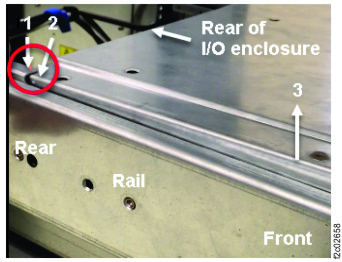
Figure 2. I/O enclosure rail holes, front 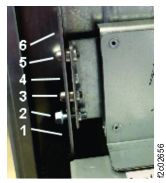
-
The I/O enclosure rails have a bent-over flange
-
At the front, install the bezel with screws in hole . See Figure 2.
Figure 3. I/O enclosure front bezel