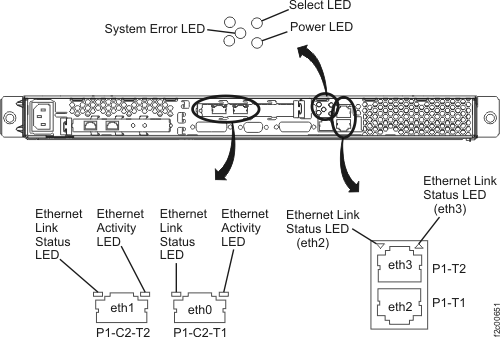
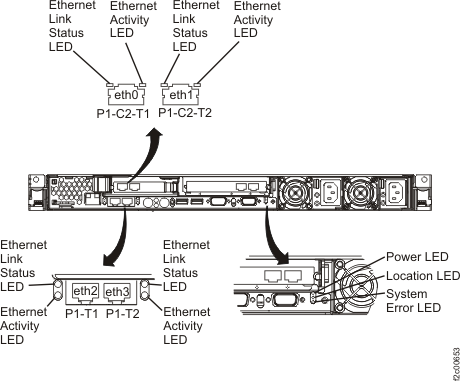
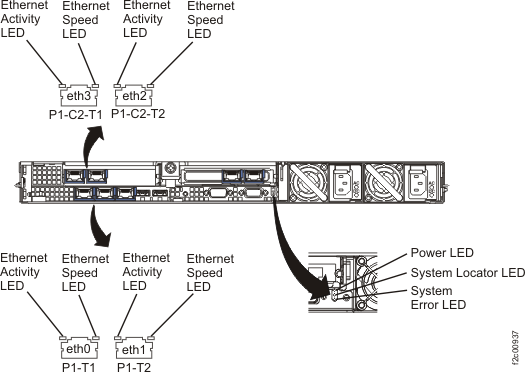
********************************************
!!! UNSUPPORTED CONFIGURATION !!!
********************************************
The HMC has (1,
2, or 3) Ethernet ports installed on the system. This is NOT a SUPPORTED
configuration. The HMC only supports 4 Ethernet ports configuration.
This must be fixed in order for the HMC to boot. |
Did you see one of the other messages listed
on a previous boot-up attempt?
- Yes, follow the actions listed for the previous message.
- No, continue with step 2.
|
**********************************************
!!! UNSUPPORTED NIC PCI !!!
**********************************************
The NIC installed
on the system is NOT Supported. Check the hardware manual for supported
NIC PCI. The unsupported NIC needs to be replaced with the correct
NIC in order for the HMC to boot. |
- It appears that an unsupported NIC PCI (Ethernet) card is installed
in the HMC. If you just replaced the PCI Ethernet card, then verify
that you ordered and installed the correct part.
- If you did not just install a new PCI Ethernet card, then do that
now.a, b
|
**********************************************
!!! ONBOARD NIC FAILED !!!
**********************************************
This MUST be
fixed in order for the HMC to boot. |
Replace the HMC planar.a, c |
| None of the above. |
Go to MAP6000 Entry point for analyzing management console problems |
Notes:
- Refer to the appropriate manual that is on the IBM®
DS8000® series Service Documents
CDROM:
- xSeries 335
Type 8676, Type 8830 Hardware Maintenance Manual and Troubleshooting
Guide
- xSeries 336 Type 1879 and Type 8837 Hardware
Maintenance Manual and Troubleshooting Guide
- IBM System
x3550 Type 7978 and 1913 Problem Determination and Service Guide
- In the manual, see the information regarding customer replaceable
units.
- In the manual, see the information regarding system board.
|