Ensuring existing storage facility is ready for installation actions
There must be no unrepaired serviceable events prior to beginning the installation.
Procedure
-
At the primary management console (MC 1), view the storage facility status (end of call). If
any of the system check results display as FAILED, view the details and refer to
MAP1100 View storage facility state (end of call). Before you continue the installation, all status fields should
display as PASSED.
Figure 1. Window: View Storage Facility State 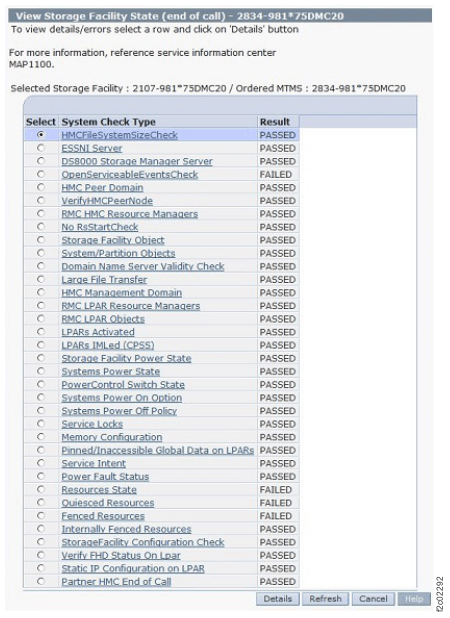 Note: If the status for Large File Transfer (the tenth System Check Type status from the top) displays as FAILED, the remaining System Check Types below it cannot be displayed.
To display further details, select a row and click Details.